- How to Get AdSense Approval Fast: 2025 Requirements & Traffic Rules
- The Core Pillars of AdSense Approval
- The Great Debate: Minimum Traffic for AdSense Approval
- AdSense Approval Requirements for Blogger (Blogspot)
- The "Low Value Content" Trap
- How Do I Know If AdSense is Approved?
- 7-Step Checklist Before You Apply
- Frequently Asked Questions (FAQ)
- Q1: What are the requirements for AdSense approval?
- Q2: Is there a minimum traffic for AdSense approval?
- Q3: How long does the AdSense approval process take?
- Q4: What are the AdSense approval requirements for Blogger?
- Q5: How do I know if AdSense is approved?
- Q6: Can I use AI (ChatGPT/Gemini) to write content for AdSense?
- Q7: Why do I keep getting "Policy Violation" rejection?
- Q8: Does website design affect approval?
- Final Thoughts
How to Get AdSense Approval Fast: 2025 Requirements & Traffic Rules
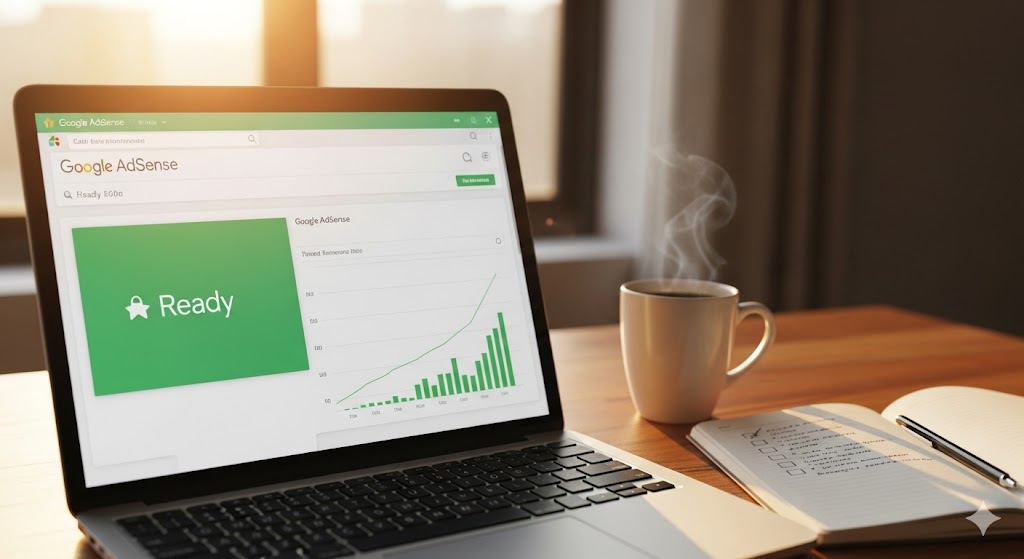
Getting AdSense approval remains the “holy grail” for many new bloggers and website owners. It is the digital stamp of legitimacy that says, “Your content is valuable, and advertisers want to be here.” But in 2025, the landscape has shifted. Gone are the days of throwing up 10 generic articles and waiting for the cash to roll in. Today, Google demands authority, user experience, and genuine value.
Regardless of whether you have been refreshing your email inbox waiting for that ‘Congratulations’ message or are simply starting your journey, this comprehensive guide is designed to walk you through everything you need to know. Specifically, we will cut through the noise, debunk the traffic myths, and consequently give you a roadmap to getting that green ‘Ready’ status on your dashboard.
The Core Pillars of AdSense Approval
Before we even talk about traffic or platform specifics, your foundation must be solid. Google’s automated bots and human reviewers look for specific “signals” of trust. If these aren’t present, no amount of traffic will save your application.
1. Content Quality: The “Helpfulness” Era
Google’s recent algorithm updates have made one thing clear: they hate “filler” content.
- Originality is Non-Negotiable: You cannot copy-paste from Wikipedia or use AI to churn out generic articles without editing. Google wants unique perspectives. If you are writing about “Best Laptops,” don’t just list specs; share user experiences or specific use-cases.
- Depth Matters: Thin content is a major rejection trigger. An article with 300 words rarely provides enough value for AdSense context matching. Aim for comprehensive posts (800-1200+ words) that fully answer a user’s query.
- Niche Expertise: Stick to a specific topic. A blog that covers “Tech,” “Gardening,” and “Crypto” all at once confuses the crawler. It doesn’t know what your site is about, making it harder to serve relevant ads.
2. The “Holy Trinity” of Legal Pages
Many rejections happen simply because a site looks like a fly-by-night operation. You must have these three pages visible in your menu or footer:
- Privacy Policy: This is legally required. It must explicitly state that you use cookies and third-party ad vendors (like Google).
- About Us: This proves you are a real person or organization. Include a photo, a backstory, or a mission statement. Authenticity builds trust.
- Contact Us: A functioning contact form or a real email address is mandatory. It shows you are accountable to your readers.
3. User Experience (UX) and Navigation
Your site needs to be “crawlable.” If a bot gets stuck in a loop or can’t find your categories, it will mark your site as “Under Construction.”
- Clean Navigation Bar: Use clear categories (e.g., “Recipes,” “Desserts,” “Vegan”) rather than vague terms like “My Thoughts” or “Stuff.”
- Mobile Responsiveness: In 2025, more than 60% of web traffic is mobile. If your text is too small or elements overlap on a phone screen, you will be rejected for “Site Behavior: Navigation.”
- Speed: A site that takes 10 seconds to load frustrates users. Google doesn’t want to serve ads on a page users bounce from immediately.
The Great Debate: Minimum Traffic for AdSense Approval
This is the most misunderstood aspect of the entire ecosystem. If you search forums, you will hear numbers thrown around: “You need 10,000 pageviews!” or “You need 100 visitors a day!”
Here is the truth: There is no official minimum traffic requirement for AdSense.
You could technically be approved with 10 visitors a day if your content is stellar. However, there is a nuance here that most people miss.
Why “Zero Traffic” Approvals are Rare
While Google doesn’t have a hard number, they do need some data to analyze your site.
- Traffic Validates Value: If nobody is reading your content, Google has no way of knowing if users find it helpful. A site with zero visitors looks like a “ghost town” to the review algorithms.
- Invalid Activity Risks: If you have very low traffic, you are a high risk for “Invalid Click Activity.” If you only get 5 views a day and you (or your mom) click an ad once, that’s a 20% click-through rate—which looks like fraud. Google prefers sites with enough traffic to dilute accidental clicks.
The “Safe Zone” Recommendation
While not a rule, a safe benchmark to aim for before applying is:
- Daily Visitors: 50–100 unique organic visitors.
- Traffic Source: Ideally, this should come from Search Engines (Google/Bing) or social media. Direct traffic (you typing in your own URL) doesn’t count for much.
Key Takeaway: Do not stress about hitting a magic number like 10,000 views. Focus on getting a steady stream of real humans reading your articles.
AdSense Approval Requirements for Blogger (Blogspot)
If you are using Google’s own platform, Blogger (.blogspot.com), the rules are slightly different. Since hosting is free, Google is stricter to prevent spam.
1. The “Six-Month” Rule (Region Specific)
In certain regions (specifically listed in AdSense help docs, often including parts of Asia like India and China), Google may require a Blogspot domain to be active for 6 months before it is eligible. This is to filter out “churn and burn” spam blogs.
- Pro Tip: Buying a custom domain (e.g.,
www.yourname.cominstead ofyourname.blogspot.com) often bypasses this age restriction because it signals a financial investment in your site.
2. Custom Domain vs. Subdomain
Although it is possible to get approved with a .blogspot.com subdomain, the process is significantly harder. However, investing just $10/year in a custom domain instantly makes your site look 10x more professional to the review team, effectively removing the ‘amateur’ stigma that often plagues free subdomains.
3. Theme Selection
Crucially, do not use the default, decade-old Blogger themes (like ‘Simple’ or ‘Watermark’) without heavy customization. Unfortunately, they often look outdated and, more importantly, fail to display well on modern mobile devices.
- Download a modern, responsive Blogger template (many are free).
- Ensure the template has clearly defined ad slots.
- Make sure the “Search” function works.
4. Content Volume for Blogger
Because Blogspot is free, people tend to launch blogs with 3 posts and apply. This leads to instant rejection. For Blogger specifically, aim for 20-30 high-quality posts before hitting the “Earnings” button.
The “Low Value Content” Trap
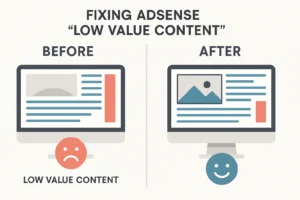
The most common rejection email in 2025 says: “Your site isn’t ready to show ads: Low Value Content.”
This is frustrating because it is vague. Here is what it actually means and how to fix it:
- The “Rewriting” Issue: If you read three news articles about an event and then summarize them in your own words, that is low value. You added nothing new. To fix this, add your opinion, a unique analysis, or a personal prediction.
- Programmatic/Auto-Generated Content: If you used a script to generate 1,000 pages of “Weather in [City Name],” you will be rejected. AdSense bans auto-generated content.
- Broken Grammar/Formatting: A wall of text with no headings, images, or bullet points is hard to read. It offers “low value” to the user experience. Break up your text.
Detailed Content Abou low value
How Do I Know If AdSense is Approved?
The waiting game is the hardest part. The review process can take anywhere from 24 hours to 2 weeks (sometimes longer). Here is how to track your status.
1. The Dashboard Status Indicators
Log into your AdSense account and go to the Sites tab. You will see one of three statuses next to your domain:
- Getting Ready: This means your site is currently under review. The crawlers are scanning your pages, or a human is taking a look. Do not remove your site or change the code during this phase.
- Needs Attention: This is a rejection. You must click on it to see the specific reason (e.g., “Policy Violation,” “Site Down”). You can fix the issue and request a review again.
- Ready: This is the golden ticket! It means you are fully approved, and ads can start showing immediately.
2. The Email Notification
Google sends explicit emails for both outcomes.
- Approval Subject Line: Usually reads “Good news, your site is now ready to show AdSense ads” or “Your account is fully activated.”
- Rejection Subject Line: Usually reads “Your site isn’t ready to show ads” or “You need to fix some things to use AdSense.”
3. The “Ads.txt” Check
Sometimes, you might be approved, but ads aren’t showing. Check your Ads.txt status in the dashboard.
- If it says “Not Found,” you need to upload the
ads.txtfile to your root directory (yourdomain.com/ads.txt). - If it says “Authorized,” you are good to go.
4. The Blank Ad Space
If you placed ad code manually, check your website from an Incognito/Private window.
- If you see blank (white) spaces where ads should be, it usually means the account is still under review or the crawler hasn’t matched ads to your content yet.
- you see “Public Service Ads” or nothing at all, you likely aren’t approved yet.
7-Step Checklist Before You Apply
Do not hit “Submit” until you can check off every single one of these boxes.
- [ ] Site Age: Is your domain at least 1 month old? (New domains often get flagged).
- [ ] Content Volume: Do you have at least 15-20 unique articles?
- [ ] Word Count: Is your average post length over 800 words?
- [ ] Legal Pages: Do you have Privacy, About, and Contact pages in the menu?
- [ ] Navigation: Is your menu clear and are there no broken links (404 errors)?
- [ ] Traffic: Have you verified in Google Analytics that you are getting some organic hits?
- [ ] Clean Interface: Have you removed other ad networks or annoying pop-ups? (AdSense prefers a clean slate for approval).
Frequently Asked Questions (FAQ)
Q1: What are the requirements for AdSense approval?
A: To get approved, you primarily need a user-friendly website with unique, high-quality content. Beyond that, you must be 18+ years old, own the site, and comply with Google’s Program Policies. Moreover, it is mandatory that your site has essential pages (Privacy Policy, About Us, Contact) and clear navigation. Conversely, you must avoid prohibited content like adult material, gambling, or illegal downloads.
Q2: Is there a minimum traffic for AdSense approval?
A: Contrary to popular belief, there is no official minimum traffic number, meaning you can be approved with very few visitors. Nevertheless, having steady organic traffic (e.g., 50-100 visitors/day) helps prove to Google that your site provides value to real people, ultimately speeding up the approval process.
Q3: How long does the AdSense approval process take?
A: It typically takes between a few days to 2 weeks. In some complex cases, or if your site is borderline, it can take up to a month. If it has been longer than 2 weeks, ensure your ad code is placed correctly in the <head> tag.
Q4: What are the AdSense approval requirements for Blogger?
A: Blogger sites must follow the same content rules as WordPress sites. However, in some countries, your blog must be active for 6 months. Using a custom domain (e.g., .com) instead of a .blogspot.com subdomain is highly recommended to increase approval chances and bypass age restrictions.
Q5: How do I know if AdSense is approved?
A: You will receive an email from Google with the subject “Good news, your site is now ready to show ads.” You can also check your AdSense dashboard under the “Sites” tab; if the status says “Ready” in green, you are approved.
Q6: Can I use AI (ChatGPT/Gemini) to write content for AdSense?
A: You can use AI as a tool for outlines or research, but copy-pasting raw AI content is risky. Google’s algorithms are getting better at detecting “unhelpful” or “repetitive” content often produced by AI. If you use AI, heavily edit the content, add human nuance, personal experience, and up-to-date facts.
Q7: Why do I keep getting “Policy Violation” rejection?
A: This is usually due to one of three things:
- Copyrighted material: Images or text you don’t own.
- Prohibited content: Articles about hacking, weapons, or adult themes.
- Scraped content: Content that exists elsewhere on the web.Check your “Policy Center” in the AdSense dashboard for more specific details.
Q8: Does website design affect approval?
A: Yes. A cluttered, ugly, or broken website suggests a poor user experience. Ensure your font is readable, your background isn’t distracting, and your menu works perfectly on mobile devices.
Final Thoughts
Getting AdSense approval is not about tricking a robot; it is about building a legitimate resource. If you focus on answering your readers’ questions better than anyone else, the approval will come naturally.
Don’t get discouraged by a rejection. It is simply a request for edits. Fix the issues, improve your content depth, and apply again. The passive income stream waiting on the other side is worth the effort.

Pingback: 5 High-Profit Faceless YouTube Channel Ideas for 2026 - EduCareerGuides