- What Does "AdSense Low Value Content" Actually Mean?
- The 5 Primary Causes of an "AdSense Low Value Content" Violation
- Your Action Plan: A Step-by-Step Guide to Fixing AdSense Low Value Content
- The Re-Application Process: How and When to Resubmit to AdSense
- Frequently Asked Questions (FAQ) About AdSense Low Value Content
- Q: How many posts do I need for AdSense?
- Q: Can I use AI content and get AdSense approval?
- Q: My site is in a competitive niche (e.g., quotes, reviews, news). Can I still get approved?
- Q: How long does the AdSense review take after resubmission?
- Q: I fixed everything and still got rejected for adsense low value content. What now?
- Final Thoughts: A Shift in Mindset
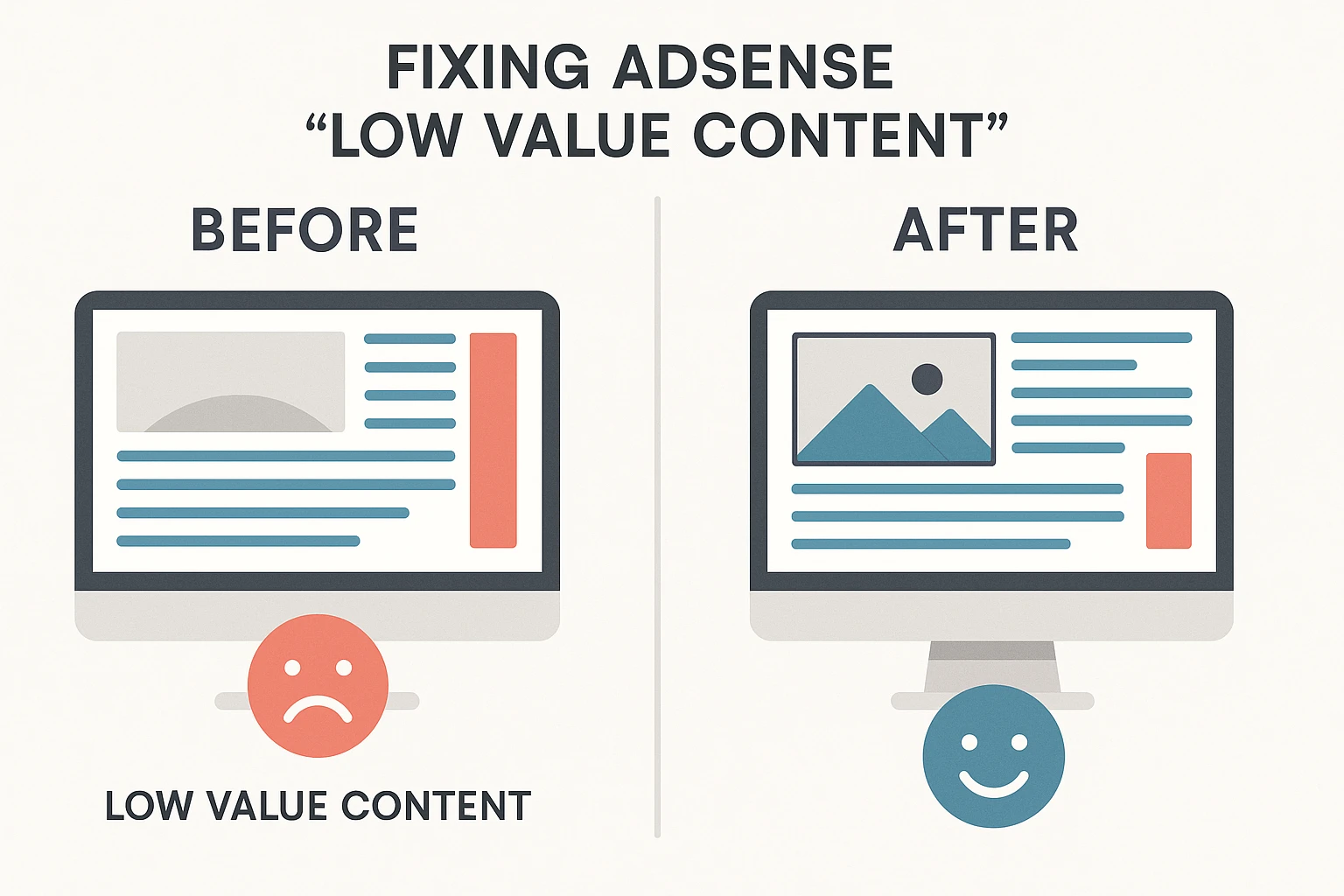
Receiving a rejection email from Google AdSense is a frustrating experience for any publisher. But the most common—and most confusing—rejection is for “AdSense Low Value Content.” It feels vague, impersonal, and leaves you wondering, “What am I even doing wrong?”
If you’ve received this message, take a deep breath. It’s not a permanent ban. It’s a solvable problem. This message is Google’s way of telling you that your site, in its current state, doesn’t meet the quality standards of the AdSense program. Their primary goal is to protect their advertisers from paying for ads on sites that don’t provide a good user experience or real, original value.
This comprehensive guide will demystify the “AdSense Low Value Content” label. We will explore exactly what it means, dive deep into the common causes, and provide a clear, step-by-step action plan to fix your site, get approved, and build a long-term, profitable content strategy.
What Does “AdSense Low Value Content” Actually Mean?
First, let’s establish what this rejection doesn’t mean. It doesn’t mean your ideas are bad or that your niche is unprofitable. It’s a technical assessment of your site’s content and structure against the Google Publisher Policies.
At its core, “AdSense Low Value Content” is a catch-all term for websites that fail to provide unique, original, and substantial value to the end-user. Google’s ecosystem runs on a three-way relationship:
- Users want answers and good experiences.
- Advertisers want to reach those users in relevant, high-quality environments.
- Google (and you, the publisher) connects the two.
If your site breaks this chain by frustrating users or offering nothing new, advertisers won’t get value for their money. Google identifies this “low value” to protect the integrity of its ad network. Your job is to prove to Google that your site is a high-quality environment.
The Core Principle: Protecting Advertisers and Users
Imagine you’re an advertiser paying $2.00 every time someone clicks your ad. Would you want that ad displayed on a website that is:
- Full of spelling and grammar errors?
- A direct copy-paste from another, more authoritative site?
- A 300-word article that doesn’t answer the user’s question, forcing them to click “back”?
- Impossible to navigate on a mobile phone?
Probably not. This is the exact mindset Google adopts. The “low value content” flag is your signal that your site currently falls into one of these problem categories.
“Low Value” vs. “No Value” – A Key Distinction
“Low value” doesn’t mean “no value.” It often means your content is “thin” or “unoriginal.” It’s content that exists purely to fill a page and attract search traffic, without any real thought given to the user’s actual needs. You might have 100 blog posts, but if 80 of them are 400-word “fluff” articles, Google’s automated systems and human reviewers will see a pattern of low value.
The 5 Primary Causes of an “AdSense Low Value Content” Violation
To fix the problem, you must first diagnose it. Your rejection is almost certainly due to one or more of these five core issues. Be honest with yourself as you audit your site against this list.
1. Thin Content: The “Not Enough” Problem
This is one of the most common culprits. Thin content refers to pages that have very little or no substantial, useful information.
- What it looks like: Blog posts that are only 300-500 words long and barely scratch the surface of a topic. Category or tag pages that have no introductory text, just a list of links.
- Why Google hates it: A user searching “how to train a puppy” is not satisfied by a 300-word post that says “be patient and use treats.” They want a comprehensive guide. Thin content fails to satisfy “user intent,” which is a primary ranking factor and a measure of value.
2. Scraped, Duplicate, or Re-spun Content
This is a critical policy violation. If you are copying content from other websites—even if you change a few words—you will be rejected.
- What it looks like:
- Scraped: Directly copy-pasting articles, news, or product descriptions from other sources.
- Duplicate: Publishing the same article on multiple pages of your own site.
- Re-spun: Using an article spinner tool or manually rewriting someone else’s article just enough to “pass” a plagiarism checker. Google’s algorithms are extremely good at detecting this.
- Why Google hates it: It adds zero original value to the web. Google wants to show the original source, not one of ten copies. This is a non-negotiable and will lead to an AdSense low value content rejection every time.
3. Auto-Generated or Unedited AI Content
With the rise of AI writing tools, this has become a major reason for rejection. Using AI to mass-produce 50 articles in a day without significant human oversight is a direct path to a “low value content” flag.
- What it looks like: Content that sounds generic, lacks personal experience, and sometimes contains factual errors or “hallucinations.” It’s content produced by a machine, for a machine, with no human value-add.
- Why Google hates it: It lacks E-E-A-T (Experience, Expertise, Authoritativeness, Trustworthiness). Google wants content written by people with real-world experience on the topic. Unedited AI content is the digital equivalent of “thin content”—it has no soul, no unique perspective, and no genuine expertise.
4. Poor User Experience (UX) and Site Navigation
Your site’s design and functionality are part of its “value.” If your site is a frustrating maze, users will leave, signaling to Google that it’s a low-quality page.
- What it looks like:
- A confusing menu structure.
- No clear categories.
- Broken links or images.
- Aggressive pop-ups that block the content.
- A design that is not mobile-friendly (i.e., it’s “broken” on a phone).
- Very slow page load speeds.
- Why Google hates it: A poor user experience leads to a high bounce rate. This tells Google that users are not finding what they want, making it a poor environment for ads.
5. Lack of E-E-A-T and Original Insight
This is a more advanced concept but is central to fixing adsense low value content. As mentioned, E-E-A-T is Google’s acronym for Experience, Expertise, Authoritativeness, and Trustworthiness.
- What it looks like:
- “Me too” content that just repeats what the top 10 search results already say.
- No author bio, or an anonymous “Admin” author for all posts.
- No “About Us,” “Contact Us,” or “Privacy Policy” pages.
- Making claims (especially in finance or health—”YMYL” topics) without citing sources or showing credentials.
- Why Google hates it: It fails the “trust” test. Why should Google trust your site with its users and advertisers? A site with no clear author or contact information is a red flag. A site that offers no unique perspective or personal experience offers no reason for Google to rank it or approve it over established players.
Your Action Plan: A Step-by-Step Guide to Fixing AdSense Low Value Content
You’ve diagnosed the “why.” Now, let’s move on to the “how.” This is not a one-night fix. This is a systematic process to genuinely improve your site’s quality.
Step 1: Pause and Perform a Ruthless Content Audit
Do not write any new posts. Your immediate task is to audit every single page and post on your site.
- Open a spreadsheet (Google Sheets or Excel).
- Create four columns: URL, Problem(s), Word Count, and Action.
- List every single post and page.
- Go through them one by one. Be brutally honest. Is it “Thin”? “Duplicate”? “Unoriginal”? Mark it in the “Problem(s)” column.
- Based on your audit, assign an Action to each URL:
- KEEP: The post is high-quality, long-form (1,200+ words), and original. (This will be rare).
- IMPROVE: The post is on a good topic but is “thin.” It needs to be rewritten and expanded.
- CONSOLIDATE: You have 3-4 “thin” posts on the same topic (e.g., “Puppy Tips 1,” “Puppy Tips 2”). These should be merged into one “Ultimate Guide.”
- DELETE: The post is scraped, auto-generated, or on a completely irrelevant topic. It cannot be saved.
Step 2: The “Great Content Purge”: Deleting and No-Indexing
This is the fastest way to signal improved quality to Google.
- DELETE: For all URLs marked “DELETE,” delete them from your site. Then, use Google Search Console to request removal. This is addition by subtraction. Removing 20 low-value posts makes your remaining 10 high-value posts shine.
- NO-INDEX: For content that is necessary for your site but offers no value to searchers (e.g., tag pages, archive pages, or even “thin” posts you plan to fix later), set them to “noindex.” This tells Google to ignore them, which helps it focus on your quality pages.
Step 3: The “Improve and Consolidate” Strategy
This is where the real work begins. Your goal is to transform your “thin” content into “pillar” content.
- For “IMPROVE” posts: Don’t just add 500 words of fluff. You must add value.
- Add your own personal experience (the “E” in E-E-A-T).
- Include original photos or videos (not just stock images).
- Add data, charts, or case studies.
- Interview an expert and add their quotes.
- Aim for 1,500 – 2,500+ words. Make it the best resource on the internet for that specific topic.
- For “CONSOLIDATE” posts: Take the 3-4 posts you identified, copy their best parts into one new draft, and then delete the old ones. Set up 301 redirects from the old URLs to the new “ultimate guide” URL.
Step 4: Overhaul Your Site’s E-E-A-T and Trust Signals
This is a non-negotiable step. You must prove your site is run by real, trustworthy humans.
- Create a Detailed “About Us” Page: This is one of the most important pages on your site. It should include:
- Your story and mission.
- Who you are (with a real photo, not an avatar).
- Your expertise or experience in the niche.
- Create Author Bios: Every post should be attributed to a real author, with a bio at the bottom linking to their “About” page or social media profiles.
- Create the “Legal Trio”: Your site must have a Privacy Policy, Terms of Service, and a Contact Us page with a working email or contact form. These are fundamental trust signals.
Step 5: Fix the “Broken Windows” – Your User Experience (UX)
Finally, clean up your site’s design.
- Navigation: Is your main menu simple and logical? Can users find your best content?
- Mobile-First: Test your site on your phone. Is it easy to read and navigate? If not, switch to a modern, responsive theme.
- Site Speed: Use Google’s PageSpeed Insights to test your site. A slow site is a low-quality site.
- Internal Linking: Go through your newly improved “pillar” posts and link them to each other where relevant. This helps users and Google discover your best content.
Read Also
Best Free Tools Every Blogger Must Use in 2025
The Re-Application Process: How and When to Resubmit to AdSense
After all this work, you’ll be eager to re-apply. Don’t.
Patience is a Virtue: Don’t Re-apply Immediately
Do not make these changes and re-apply the same day. Google needs time to re-crawl your site and “see” the new, improved version.
- Wait at least 2-4 weeks after your overhaul.
- Ensure you have at least 25-30 high-quality, in-depth articles. The number isn’t a magic bullet, but it shows a pattern of value.
- Check your Google Search Console to ensure your new pages are indexed and your deleted pages are gone.
- During this “waiting” period, write 2-3 new, high-quality pillar posts to show Google you’re actively building a great site.
The Pre-Flight Checklist Before You Resubmit
Before you click that “submit” button, ask yourself:
- [ ] Do I have any thin, duplicate, or scraped content left?
- [ ] Do I have a clear “About,” “Contact,” and “Privacy Policy” page?
- [ ] Is every post attributed to a real author with a bio?
- [ ] Is my site easy to navigate and 100% mobile-friendly?
- [ ] Do my posts provide unique value (experience, data, insight) that can’t be found elsewhere?
If you can’t check all five boxes, you are not ready.
Frequently Asked Questions (FAQ) About AdSense Low Value Content
Q: How many posts do I need for AdSense?
There is no magic number. One outstanding 10,000-word article could theoretically be enough, while 100 “thin” posts will get you rejected. Stop focusing on quantity and start focusing on quality. That said, a good pattern of quality is key. Aim for 25-30 excellent, in-depth posts.
Q: Can I use AI content and get AdSense approval?
This is the most common question today. The answer is nuanced: Yes, but not in the way you think. You cannot use AI to generate and publish an article in 5 minutes. You can use AI as a research assistant, to create an outline, or to write a first draft. But you must then heavily edit, fact-check, and inject your own personal experience, analysis, and voice. If the final product is 50% AI and 50% your own unique value-add, you may be fine. If it’s 95% AI, you will be rejected for adsense low value content.
Q: My site is in a competitive niche (e.g., quotes, reviews, news). Can I still get approved?
It is much, much harder. For a niche like “movie reviews” or “tech news,” you are competing against massive, authoritative sites. To get approved, your site can’t just be as good as theirs; it must offer something different. A unique angle, a focus on a sub-niche, or a level of personal insight that they can’t match. A generic movie review blog will almost certainly be rejected.
Q: How long does the AdSense review take after resubmission?
It can take anywhere from a few days to six weeks. Be patient. Do not resubmit multiple times.
Q: I fixed everything and still got rejected for adsense low value content. What now?
You missed something. It’s that simple. The “low value content” rejection is Google’s way of saying “the problem is still here.” Go back to your audit. Be even more ruthless. Did you really add unique value, or did you just make your “thin” posts longer? Did you delete all of the bad posts? Are your “About” and “Author” pages genuinely transparent and trustworthy?
Final Thoughts: A Shift in Mindset
Fixing the “AdSense Low Value Content” issue is not about “tricking” Google’s algorithm. It’s about fundamentally changing your approach to content creation.
Stop building a “site for AdSense.”
Start building a “site for users.”
When you focus on creating the absolute best, most helpful, and most original content for your audience, you are creating a high-value environment. And when you have a high-value environment, AdSense approval (and traffic, and user trust) will naturally follow.



Pingback: WordPress hosting: Unlock Your Success in 2025