- 1. Focus on High-Quality Content
- 2. Choose Profitable Niches
- 3. Optimize Ad Placement
- 4. Use Responsive Ad Units
- 5. Experiment with Ad Types
- 6. Improve Website Speed & User Experience
- 7. Increase Organic Traffic with SEO
- 8. Monitor Performance with AdSense Reports
- 9. Block Low-Paying Ads
- 10. Diversify Traffic Sources
- 11. Use Heatmaps and A/B Testing
- 12. Stay Updated with Google Policies
- Conclusion
- 📌 FAQs (SEO Optimized)
Google AdSense remains one of the most popular and reliable monetization methods for website owners, bloggers, and content creators. While setting up AdSense is relatively simple, maximizing your earnings requires strategy, optimization, and consistency. Many publishers struggle with low revenue despite having good traffic because they don’t apply the right techniques.
In this article, we’ll discuss practical tips to maximize AdSense revenue and get the most out of your content.
1. Focus on High-Quality Content
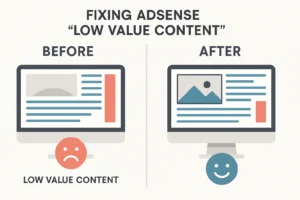
Content is the backbone of AdSense earnings. High-quality, original, and useful content attracts organic traffic, keeps users engaged, and increases ad impressions.
- Write in-depth, informative articles that solve problems.
- Target trending topics within your niche.
- Use engaging formats like guides, tutorials, comparisons, and case studies.
Remember: The better your content, the more time users spend on your site, leading to more ad clicks.
2. Choose Profitable Niches
Not all niches earn the same amount in AdSense. Some niches have higher CPC (Cost Per Click) rates than others. For example, finance, technology, health, and business niches typically pay more than entertainment or general blogging.
- Use tools like Google Keyword Planner, SEMrush, or Ahrefs to find high-CPC keywords.
- Focus on evergreen topics that maintain steady traffic over time.
3. Optimize Ad Placement
Ad placement has a major impact on your CTR (Click-Through Rate). Strategic placement encourages users to interact with ads without being intrusive.
- Place ads above the fold (visible without scrolling).
- Insert ads within the content (especially after the first few paragraphs).
- Add ads at the end of articles, since users who finish reading are more engaged.
Pro Tip: Avoid cluttering your page with too many ads. It reduces user experience and may lower overall earnings.
4. Use Responsive Ad Units
Most users browse from mobile devices, so using responsive ad units ensures that ads automatically adjust to different screen sizes.
- Enable Auto Ads to let Google optimize placements.
- Test different ad sizes like 300×250, 336×280, and 728×90.
- Prioritize mobile-friendly layouts since mobile traffic is rising rapidly.
5. Experiment with Ad Types
Google AdSense offers multiple ad formats:
- Display Ads – standard banners.
- In-article Ads – blend seamlessly within your posts.
- In-feed Ads – great for blog feeds or list-style layouts.
- Matched Content – recommends your content with ads included.
Experiment to see which format works best for your audience.
Read Also
Adsense connect with Bloggers and WordPress
6. Improve Website Speed & User Experience
Slow-loading websites increase bounce rates, which lowers ad impressions and revenue.
- Use caching plugins (if using WordPress).
- Optimize images with compression tools.
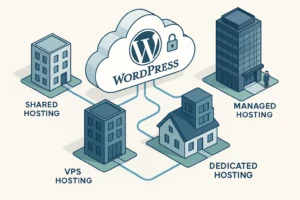
- Use a reliable hosting provider.
Google also considers Core Web Vitals for SEO rankings, which indirectly affects AdSense earnings through traffic.
7. Increase Organic Traffic with SEO
AdSense revenue depends heavily on traffic volume and quality. The more targeted traffic you attract, the more chances users will click ads.
- Optimize on-page SEO: titles, meta descriptions, headings, and keywords.
- Build backlinks from authority sites.
- Update older posts to keep them relevant.
- Focus on long-tail keywords for higher conversion rates.
8. Monitor Performance with AdSense Reports
Google AdSense provides detailed reports to help you analyze performance. Regularly check:
- CPC (Cost Per Click)
- CTR (Click-Through Rate)
- RPM (Revenue Per 1000 impressions)
Use this data to refine your strategy. For example, if one type of ad performs better, replicate it across more pages.
9. Block Low-Paying Ads
Not all ads are equal. Sometimes irrelevant or low-paying ads appear on your site. Use the Ad Review Center to block categories or advertisers that reduce your CPC.
10. Diversify Traffic Sources
Relying only on search traffic is risky. Expand to:
- Social media (Facebook, Instagram, Twitter, LinkedIn)
- YouTube (and link your channel with AdSense)
- Email marketing
- Quora and forums
This ensures stable revenue even if search rankings fluctuate.
11. Use Heatmaps and A/B Testing
Heatmaps (like Hotjar or Crazy Egg) show where users click most. This helps you adjust ad placement for maximum visibility. Also, run A/B tests with different ad types, sizes, and positions to find the best-performing setup.
12. Stay Updated with Google Policies
AdSense has strict policies. Violating them may lead to suspension. Always follow:
- No invalid clicks or encouraging clicks.
- No prohibited content (adult, violent, or copyrighted).
- Ad-to-content ratio must remain balanced.
Conclusion
Maximizing AdSense revenue isn’t about placing more ads—it’s about creating valuable content, optimizing ad placement, improving user experience, and analyzing performance regularly. By focusing on profitable niches, increasing traffic through SEO, and experimenting with ad formats, you can steadily grow your earnings.
With consistent effort and smart strategies, AdSense can become a reliable source of passive income for bloggers and website owners.
🔑 Quick Checklist to Boost AdSense Revenue:
✔ Write high-quality content
✔ Pick high-CPC niches
✔ Optimize ad placement & format
✔ Improve site speed and mobile responsiveness
✔ Increase organic traffic with SEO
✔ Monitor and refine performance
📌 FAQs (SEO Optimized)
1. How can I increase my AdSense CPC?
You can increase CPC by targeting high-paying niches like finance, insurance, technology, and health. Use keyword research tools to focus on high-CPC terms and block low-paying ad categories in AdSense settings.
2. What is the best ad placement for AdSense?
The best placements are above the fold, within the article (after the introduction or mid-content), and at the end of the article. Always A/B test placements to see what works best for your audience.
3. Does website speed affect AdSense revenue?
Yes, a slow website increases bounce rate, reducing impressions and clicks. Optimizing speed with caching, image compression, and reliable hosting improves user experience and revenue.
4. Which ad formats perform best in AdSense?
Responsive display ads, in-article ads, and in-feed ads usually perform best because they blend with content while staying visible. Auto Ads can also optimize placement automatically.
5. Is AdSense still profitable in 2025?
Yes, AdSense remains one of the most profitable ad networks if you publish high-quality content, choose profitable niches, optimize ads, and drive consistent organic traffic.